A fresh session on every switch
Providers that put the session in the username share one host for every proxy, so Chrome would keep the old one. The extension forces a new session on every switch, and leaves your site cookies alone.
Quantum Proxy Switcher is a free Chrome extension. Paste your proxy lists once, pick a proxy and route Chrome through it. Every switch gets a fresh session, every proxy gets checked, and your real IP stays hidden.


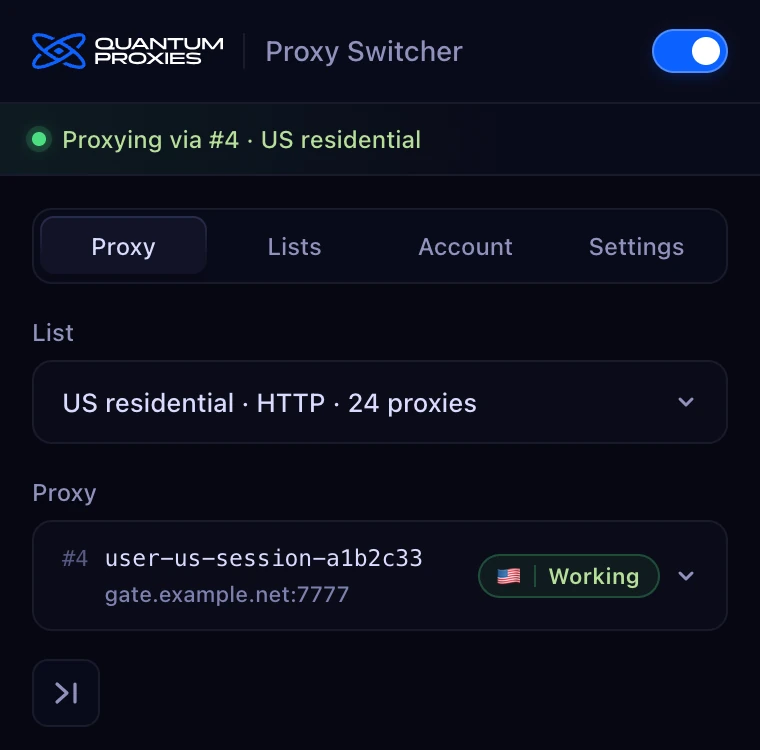
A proxy switcher changes the proxy your browser uses without digging through system settings. Quantum Proxy Switcher keeps your proxy lists inside Chrome and routes the whole Chrome profile through the one you pick, or straight to the internet when it's off.
It works with any HTTP proxy list from any provider, and connects to your Quantum account to create lists from your plans.
Built by a proxy provider, for people who switch proxies all day.
Providers that put the session in the username share one host for every proxy, so Chrome would keep the old one. The extension forces a new session on every switch, and leaves your site cookies alone.
Every proxy you select is checked: Working, Failed or Checking, with its latency and where it exits. The toolbar icon shows a green tick or a red mark at a glance.
While a proxy is on, WebRTC only uses proxied traffic, so sites can't see your real IP through it.
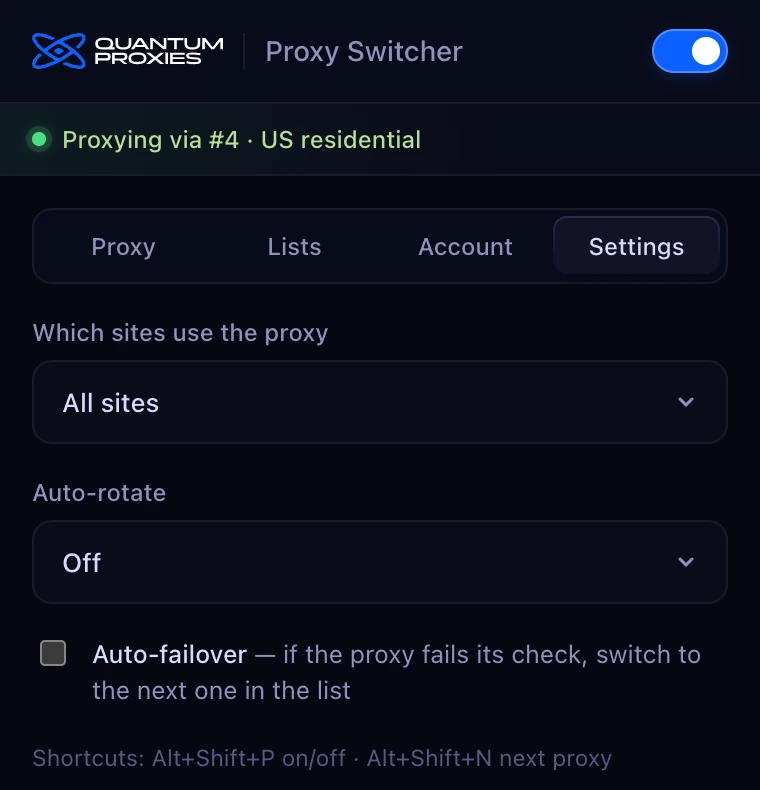
Send every site through the proxy, only the domains you list, or everything except them.
Rotate every 5, 10, 30 or 60 minutes. If a proxy fails, move to the next one automatically.
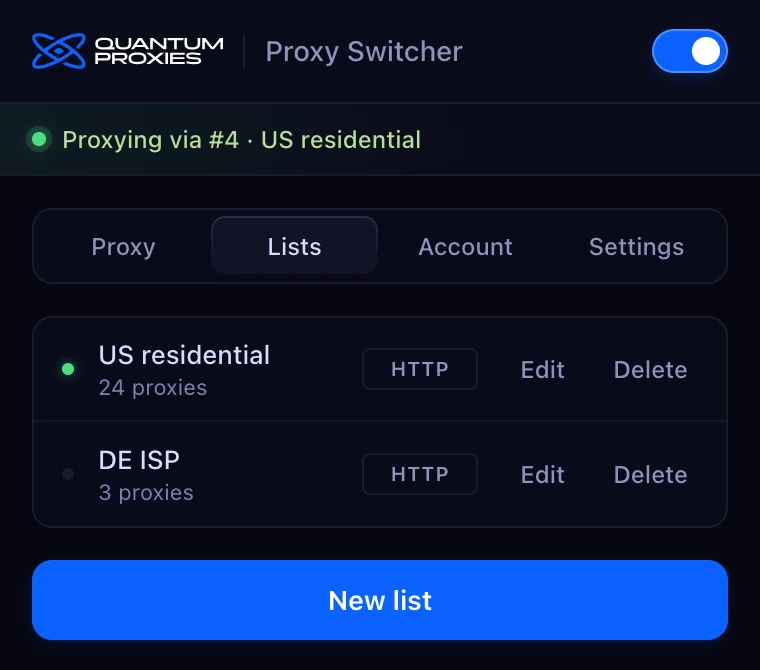
host:port, host:port:user:pass or user:pass@host:port, one per line, with # comments. Keep as many named lists as you like.
Jump to the next proxy for a new IP, from the popup or the keyboard, without leaving the page.
Paste a Quantum API key to create lists straight from your plans: location, state and city where supported, sticky or rotating, and up to 1,000 proxies.
Anywhere you need a different IP in your browser, right now.

Give each account its own proxy and switch between them in one click. A fresh session on every switch keeps them apart.

See your site, your ads and your search results the way people in another country see them. The proxy check shows exactly where you exit.

Compare prices, stock and listings across markets by hand, switching country in a click instead of reconfiguring your browser.
Work by hand on a proxy that's been tested a second ago. If it fails, failover moves you to the next one before you notice.
Your lists, your proxy and your settings, one click from the toolbar.
Install it from the Chrome Web Store. No account needed.
Open Quantum Proxy Switcher on the Chrome Web Store and click Add to Chrome.
Confirm with Add extension. Chrome installs it and keeps it up to date for you.
Open the extensions menu in the toolbar and pin Quantum Proxy Switcher, one click away.
Create a list, paste your proxies one per line, pick one and switch it on.
On the Chrome Web Store · Chrome 116 or later · free, with automatic updates
No analytics, no tracking and no remote code. Uninstalling the extension deletes everything it stored.
Yes. The extension is free to install and use, and it works with proxies from any provider. You don't need a Quantum account.
Open Quantum Proxy Switcher on the Chrome Web Store, click Add to Chrome, then Add extension. Pin it from the extensions menu in the toolbar. It needs Chrome 116 or later, and Chrome keeps it up to date.
host:port, host:port:user:pass and user:pass@host:port, one per line, with # comments allowed.
Yes. Paste any HTTP proxy list in a supported format. Connecting a Quantum account is optional and only adds one-click list creation from your Quantum plans.
Many providers use the same host for every proxy and put the session in the username, so Chrome would keep reusing the old login. On every switch the extension clears Chrome's saved login for the proxy server only, so the new session is used. Your site cookies aren't touched.
The extension checks every proxy you select and shows Working, Failed or Checking next to it, with the latency and the country it exits from. The toolbar icon shows a green tick when the proxy works and a red mark when it doesn't.
While a proxy is on, the extension limits WebRTC to proxied traffic so sites can't see your real IP through it. Private network addresses and plain hostnames go direct, as they should.
Yes. In Settings, choose all sites, only the domains you list, or every site except the ones you list. Subdomains are included.
Yes. Auto-rotate moves to the next proxy every 5, 10, 30 or 60 minutes, and auto-failover switches to the next proxy when the current one fails its check.
In Chrome's local extension storage on your device. They're never synced and never sent to Quantum or anyone else. Uninstalling the extension deletes them.
Add Quantum Proxy Switcher to Chrome. Free, local, and built for people who switch proxies all day.